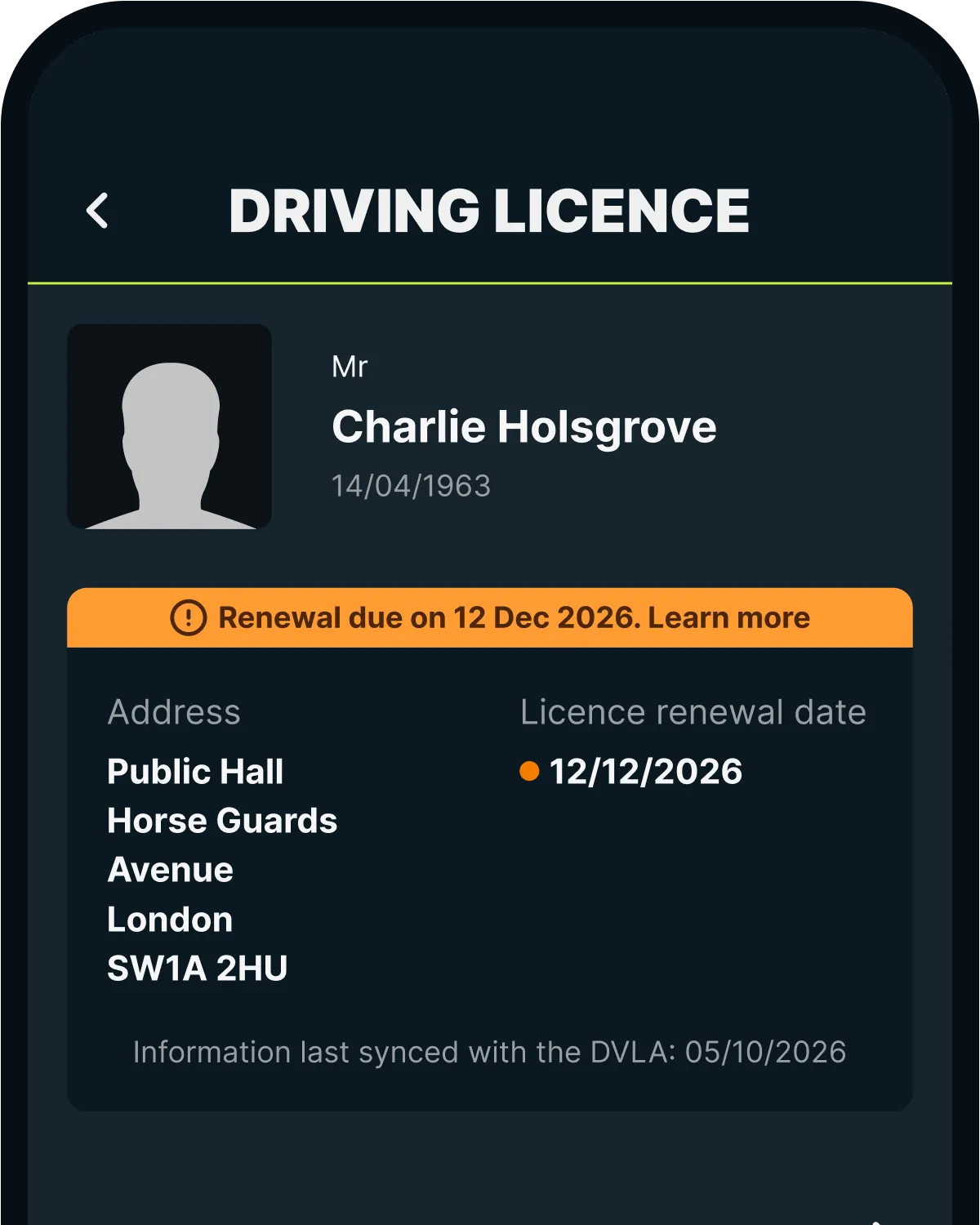

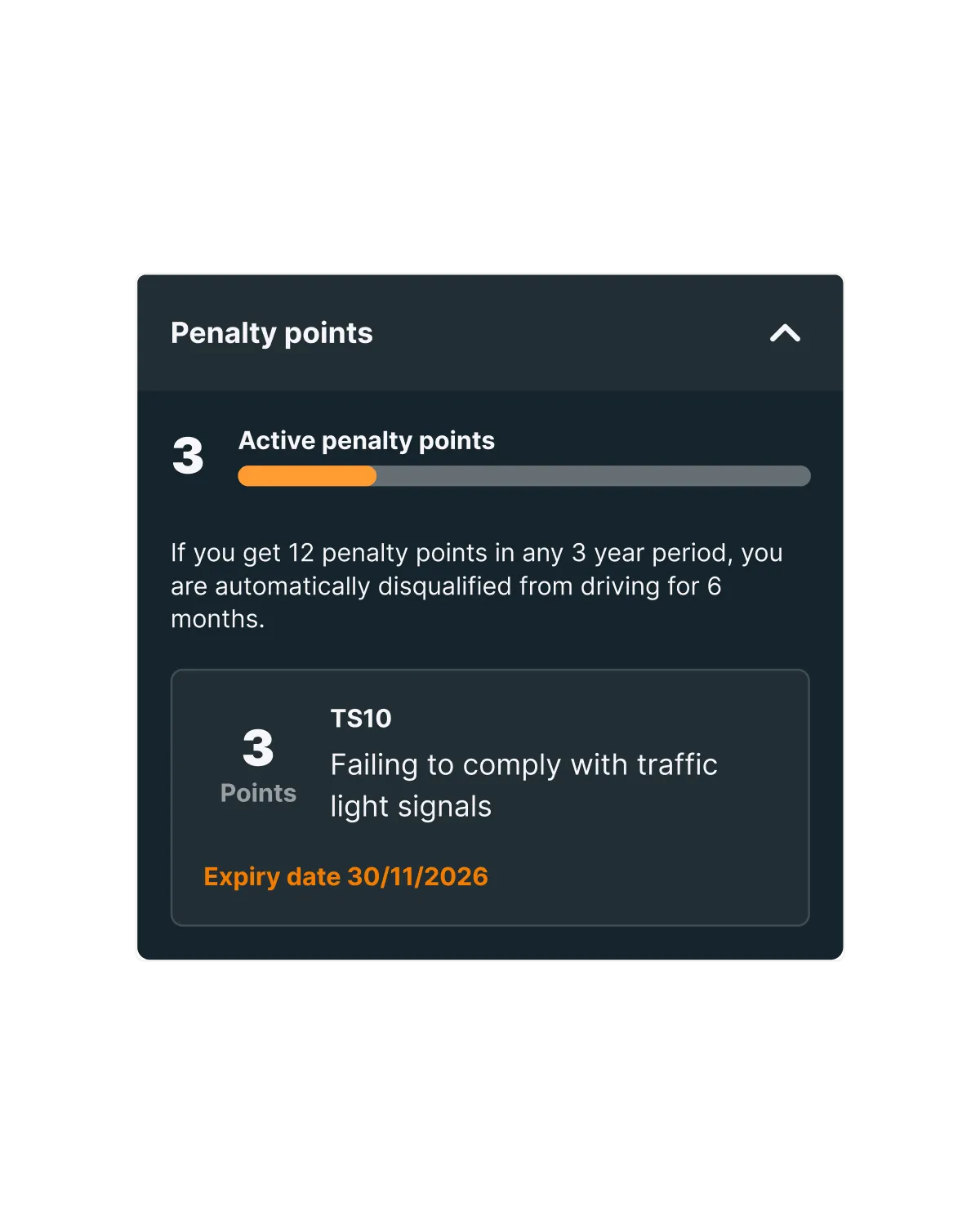
Caura syncs with the DVLA, so the information you need is always to hand. In the app you can see:
- Any speeding points or endorsements on your licence
- What you can and can't drive, handy if you're changing vehicles
- Any driving disqualifications
- Your licence details, held securely and encrypted
How do I add my driving licence?
It takes three steps.
1. Enter your driving licence number
It's the 16 letters and numbers in section 5 on the front of your licence.
2. Enter your postcode
Use the postcode exactly as it appears in section 8 on the front of your licence.
3. Enter your National Insurance number
You'll find it on your NI number card, a tax bill or a payslip. It's only used to check your identity with the DVLA. It's encrypted, stored securely and can't be seen by anyone at Caura.
Where do I find my licence in the app?
Head to the Account tab and tap Driving Licence. You'll see your licence details, what you can drive, any penalty points and any driving disqualifications.
Driving licence FAQs
How much does a UK driving licence cost?
Your first driving licence
- Provisional licence: £34 online or £43 by post
- Full licence after you pass your test: free, or £17 by post
- Full licence in exchange for a European or other foreign licence: £43 by post
Replace a lost or stolen licence
- £20
Change your name, address or photo
- Address: free online or by post
- Name: free by post
- Photo: £14 online or £17 by post
- Photo and name: £17 by post
- Photo and address: £14 online or £17 by post
Renew a driving licence
- Expired licence: £14 online or £17 by post
- Aged 70 or over: free online or by post
- Short-term medical driving licence: free online or by post
Add, renew or remove an entitlement
- Free by post
Exchange a paper or non-GB driving licence
- Paper licence for a photocard with a change of address: free online or by post
- Paper licence for a photocard with a change of name: free by post
- Paper licence for a photocard with no change of details: £20 online or by post
- Full Northern Ireland licence for a GB licence: free by post
- Full European or other foreign licence, if you've held a GB licence before: free by post
- Full European or other foreign licence, if you haven't held a GB licence before: £43 by post
Get your licence back after it's been taken away
- Disqualified for any reason except drink driving: £65 by post
- Disqualified for drink driving and you need a medical with a DVLA doctor: £90 by post
- Disqualified for drink driving and you don't need a medical: £65 by post
- Licence revoked under the New Drivers Act: £50 by post
- Licence revoked for not handing it to the DVLA or a court: free by post
How do I add my driving licence to Caura?
Step 1: enter your driving licence number. It's the 16 letters and numbers in section 5 on the front of your licence.
Step 2: enter your postcode. It should match the postcode in section 8 on the front of your licence exactly.
Step 3: enter your National Insurance number. You'll find it on your NI number card, a tax bill or a payslip. It's only used to verify your identity with the DVLA. It's encrypted, stored securely and can't be seen by anyone at Caura.
More from Caura
The other charges, tolls and car admin you can sort in the Caura app.